|
Home
Site News BeOS/Haiku Deskmate Linux/UNIX Apple II Mac OS NeXT ReactOS GEOS Amiga GEM QNX OS/2 RISC OS DOS GUIs Windows Windows Shells Xerox/Sun Others Office Ribbon |
You are here: Firealarms Main > GUICentral > Linux > Linux Mint 13-Cinnamon > Page 2 of 3 |
|
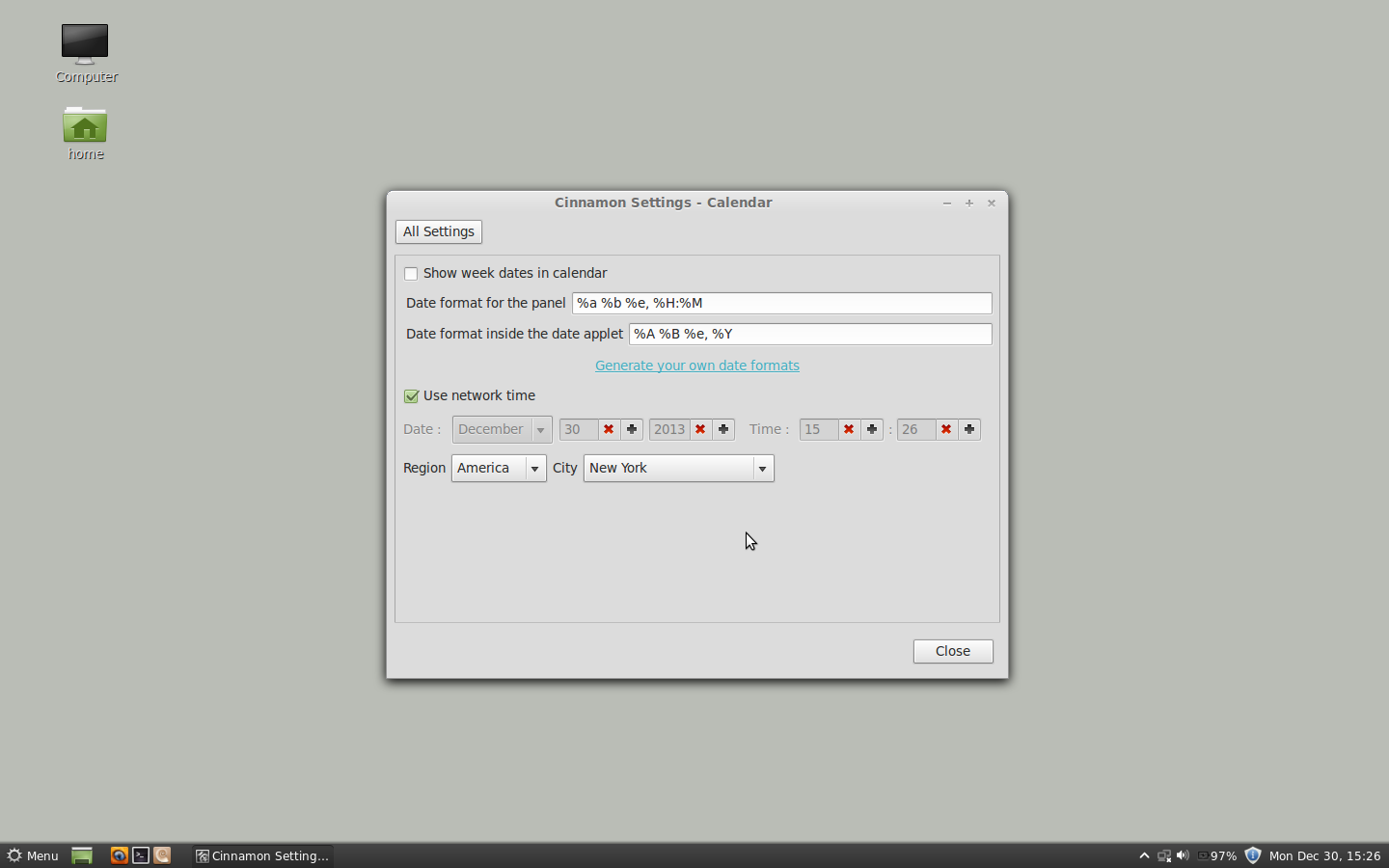
Because it is Linux Mint 13 defaults to showing you 24-hour time. Most people I know have their clocks in 12-hour time, like a normal clock should be. Of course there are probably people who feel just the same way about 24-hour time and complain because Windows defaults to 12-hour time. And that's okay too. An OS has to accomodate that, however. Instead, this control panel (which is specific to Cinnamon) needs to be used to control the time formats. Aaaaaaaaand...you have to figure out how to compile a time format string by yourself. WHAT?!?!?!?!?!?!?!?!?!?!?!?!If you're going to use some gibberish string to configure time formats, use some common sense and PROVIDE SOME DEFAULT OPTIONS! Or at the very least provide a local help file because not all computers have an internet connection. Another thing I want to point out is the use of an X to indicate a decrement in count as opposed to a more traditional -. People would expect an X to cancel or clear something, which makes the use of such a control confusing.
|
|