|
El Capitan, or "El Crapitan" as dubbed by some individuals over its frequent problems upon release, is the 11th major release of Mac OS X...or just OS X, apparently Apple dropped the "Mac" from the OS name after Snow Leopard.
Personally I didn't see the point in dropping that, although I guess technically everything Apple produces runs OS X (yes, including the iPhone), but it made sense to call it Mac OS X because you aren't taking standard OS X and dumping it on an iPhone as is. Funny enough this is the last version to be called OS X, later releases just revert to calling it macOS. Which is a dumb styling, to be sure.
This release is hugely different from anything looked at here before, although most of the changes I discuss here are actually found in Yosemite but I couldn't get Yosemite to work in my test setup.
These screenshots are of 10.11.6, the final point release, which in the past has meant no real changes but there may be some added features with this update that were not in the original release.
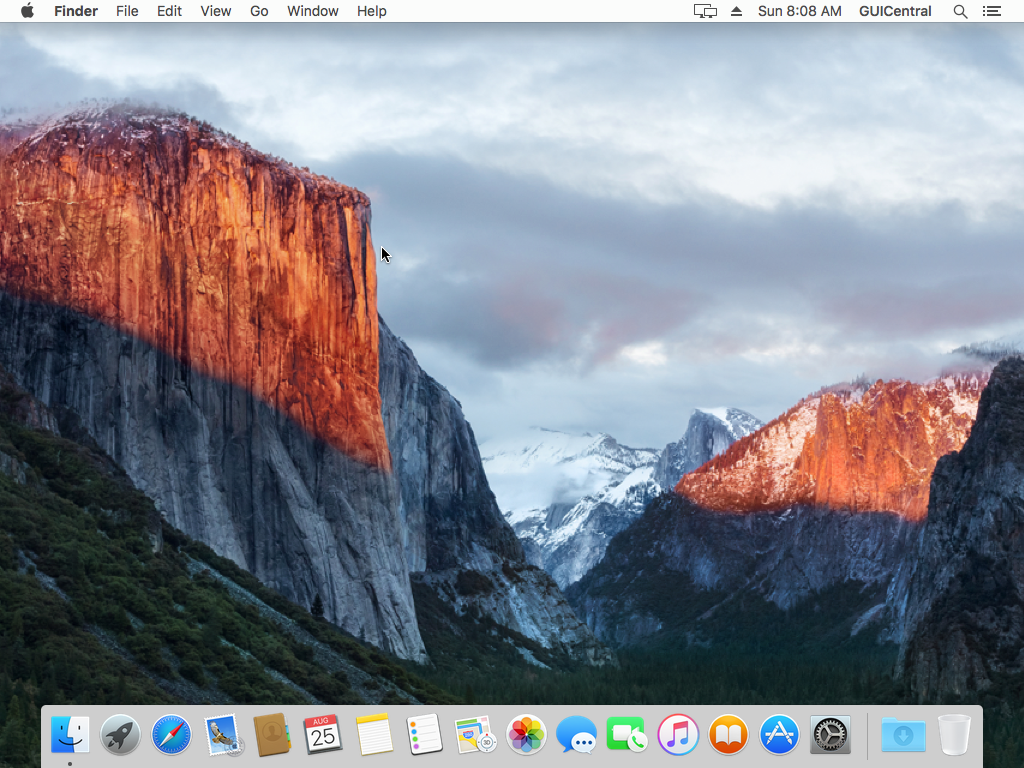
Here is the default El Capitan desktop. Indeed, although recognizable it is almost all different.
Yes, if you noticed, these screenshots are taken in a 4:3 aspect ratio resolution. I was surprised that OS X still supported that.
Completely gone are all the 3D window controls and textures, replaced with this flat appearance more in line with something like iOS or Windows 8...or classic Mac OS for that matter.
I suppose it doesn't look "bad", and I never really saw much of the point in system-taxing 3D rendered user interfaces, but it's not like the Mac had a hard time keeping up with it and I think it looks out of place. Who knows, perhaps that's just how one turns into an "old man". :-P
You can also see a few new items in the upper notification area:
- That display icon is for "AirPlay", Apple's name for wireless display technology allowing you to wirelessly project to an external monitor or projector. It works...when it wants to at least.
- I am not entirely sure what the eject button is for, other than an analogue to the "safely remove hardware" feature on Windows.
- The user's username now appears on this bar, along with a menu containing user-specific options.
- There is now a notification area pane, accessed via the icon on the far right.
Most of these features are just things ported over from the iPhone...and your hard drive icon is no longer displayed on the desktop, but that's been the default setting for a while now.
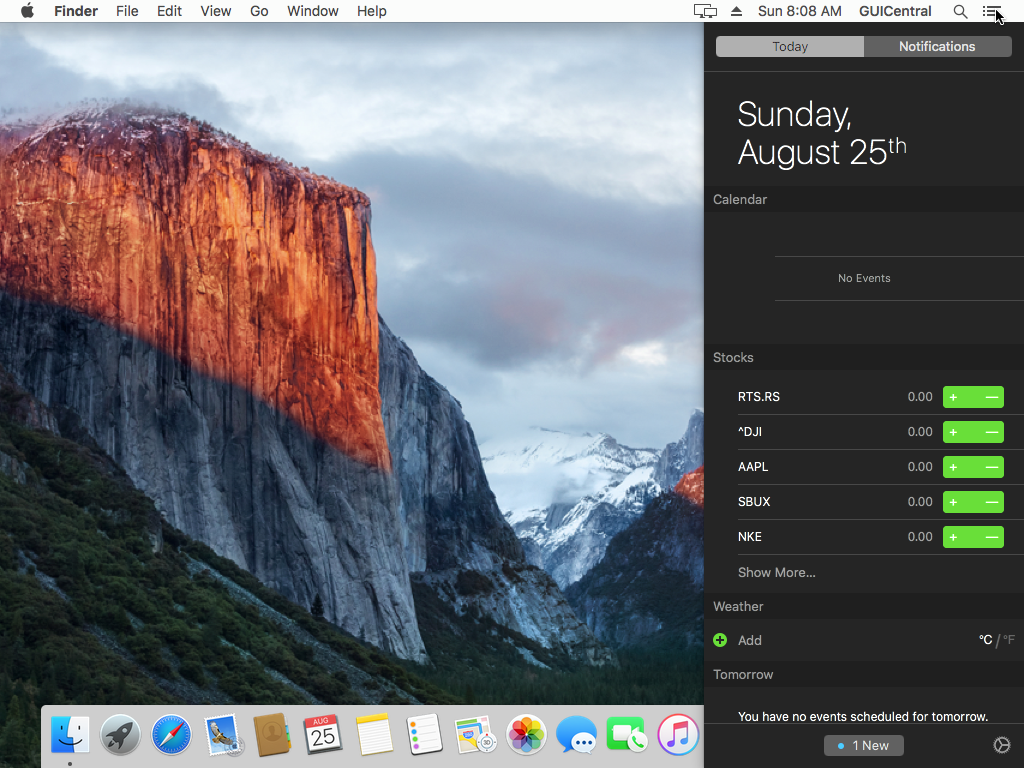
This is the new "notifications" pane, which is really nothing other than the iPhone notification screen thrown at Mac OS X. I suppose the theory is that it's supposed to be a one-stop-shop for any and all in-application messages and such, but in practice this never happened and this area is just full of extra useless information.
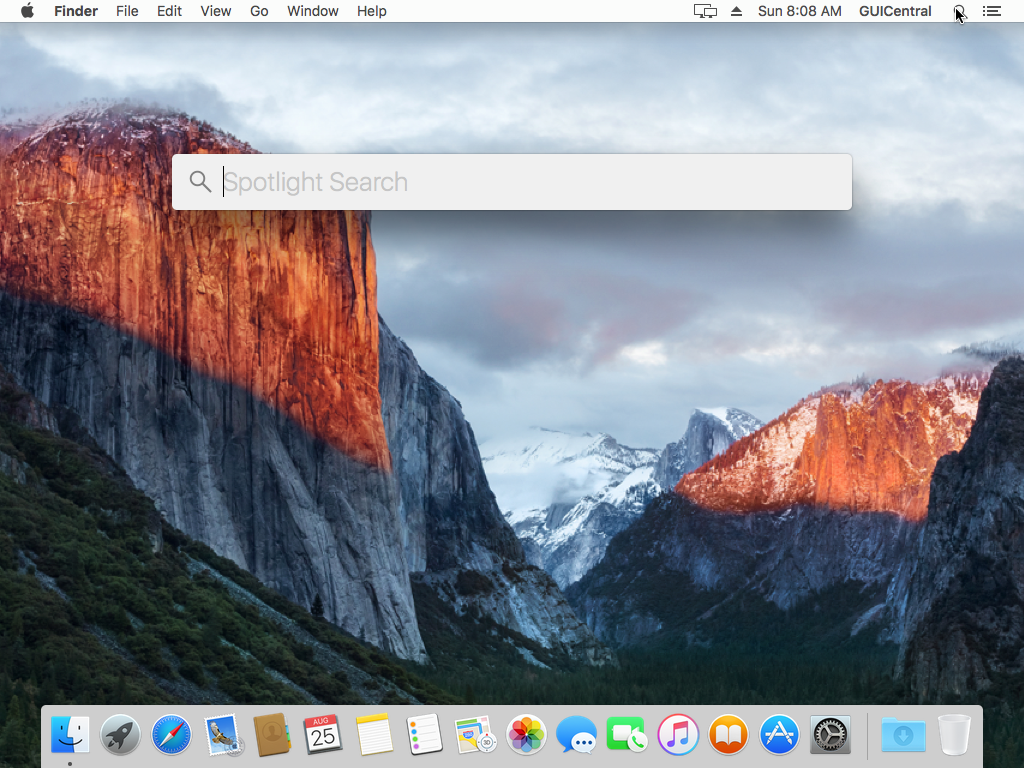
Spotlight no longer opens in a menu, it now displays this giant box in the middle of the screen with no clear way of getting rid of it. Apparently it also now searches online sources by default.
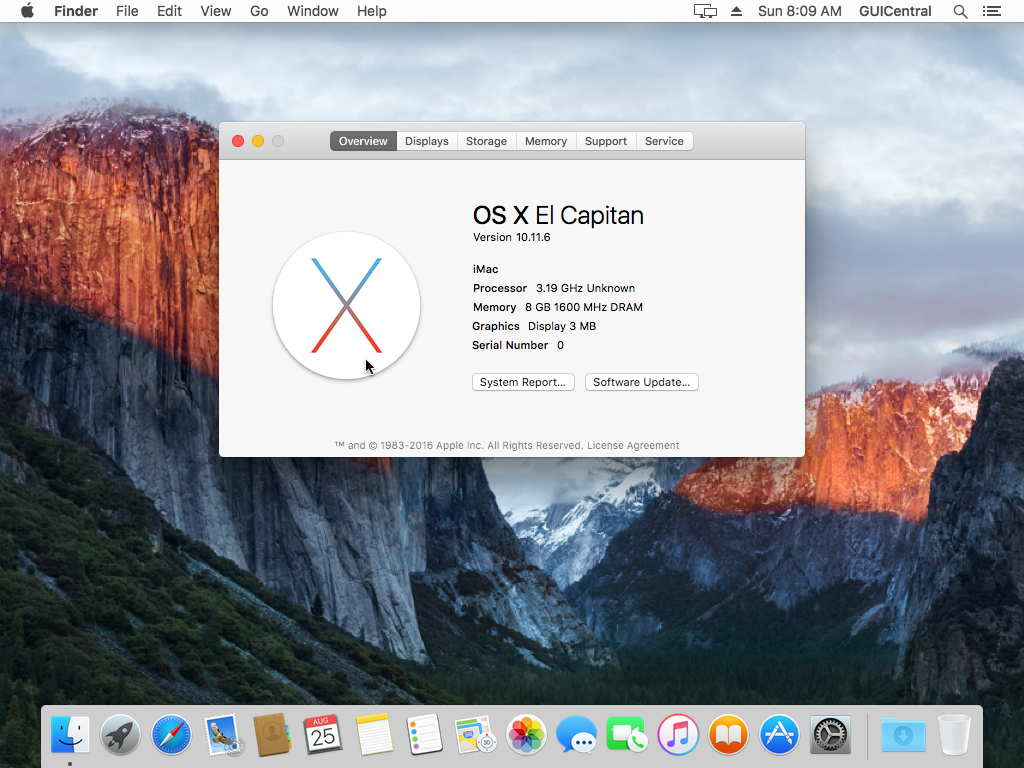
The about screen has also been completely changed, and now shows more detailed information than before.
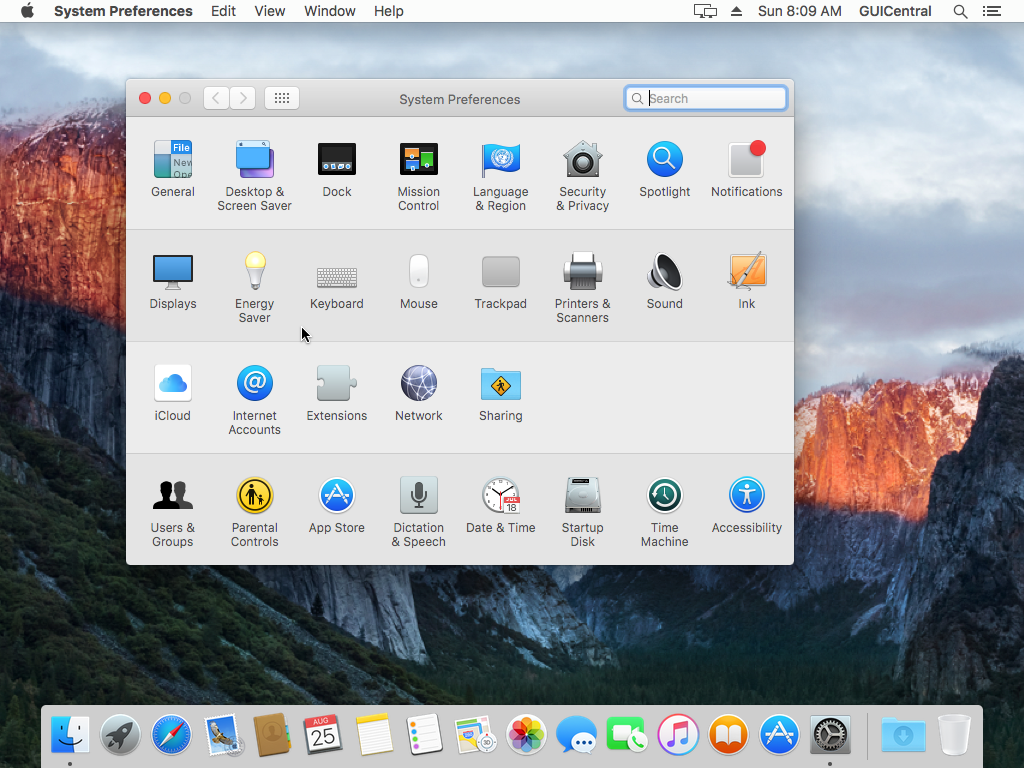
The preferences has remained mostly unchanged, and I will note that some of the old 3D icons are still present.
|